04 — Jade
Before Jade was an app, he was a cat.
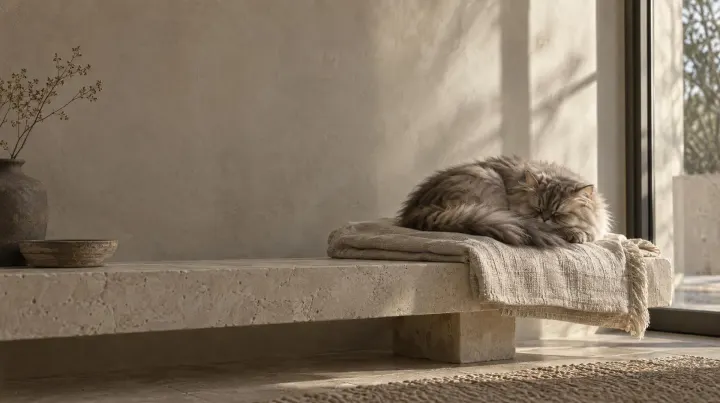
A grey-brown Persian with a round face, small ears and a tail like a plume. The app was made for him first. His silhouette is the icon, and he's the cat who comes with it.
Read his storyFree for Mac · iPhone app in development
Install Jade and a cat moves onto your Mac: walking the Dock, napping on your windows, and telling you when to take a break. On iPhone, a diary in your cat's own voice is on its way.
Free · macOS 14 Sonoma or later · Apple silicon or Intel
The name's Jade. As in the stone.
01 — Mac
The app comes with Jade himself. He walks the Dock and the tops of your windows and naps when he's tired. When a break is due, he walks to the middle of the screen, sits, and draws the curtain.

Walks, runs and leaps along the Dock and window tops, crosses to your other display, and rides the window you drag. Pick him up and let go, and he tumbles, then gets back up.
Stroke him with the pointer and you may get a purr, a game, or a cat who has had enough. Stroke him when he's in the mood and take your breaks, and the two of you grow closer.
Fifty minutes of work, five of rest by default, with a warning first. The clock stops while you're away, and a due break waits during a call, a Focus or an app you choose. Not forever, though.
Every display turns to dark paper with the time left. He sleeps on a line that fills as the rest passes: a yawn, a twitch, now and then a peek at you.
Jade keeps you company first. Your own cat can move in as a cat pack, made from photos, Live Photos and videos with the jade-pipeline tool. For now, that's done in Terminal.
Free: dismiss any break. Gentle: hold to shoo the cat, a few snoozes a day. Strict: no skipping, and Esc five times is the emergency exit.
Free · macOS 14 Sonoma or later · Apple silicon or Intel
02 — iPhone
Take a photo, or pick an old one. Jade reads the mood in it, and your cat writes the rest: a line or two, no more than a cat would bother with.
In development and coming to the App Store. Nothing to download yet.
Today · 08:42
In my own words
Woke up, judged the sunbeam, and forgave it by noon.
Any photo of your cat, from this morning or from years ago.
From the ears, tail, eyes and posture: one or more of six moods, and how happy overall. It's a guess, and you can correct it.
A short line in your cat's own voice, dated and kept, one day after another.
The six moods
03 — Privacy
Diary entries, your cat's profile and your mood corrections live in your iCloud, not on our servers.
A photo is analysed in transit to read the mood, and is never stored or logged.
Jade for Mac and its cat-pack tool work on your Mac and send nothing anywhere.
04 — Jade
A grey-brown Persian with a round face, small ears and a tail like a plume. The app was made for him first. His silhouette is the icon, and he's the cat who comes with it.
Read his story05 — Take Jade home
Set him on the cushion and he'll curl up and come with you. Or just press the button.
Free · macOS 14 Sonoma or later · Apple silicon or Intel
brew install --cask misoto22/tap/jadebash -c "$(curl -fsSL https://jadethecat.com/mac/install)"Jade isn't notarised by Apple yet, so macOS stops it the first time you open it from the DMG. Go to System Settings → Privacy & Security and choose Open Anyway. Homebrew and the Terminal line skip this step.